Getting started
Nassila (ناسيلا) is a Windows desktop app for a submit-ready bibliography: import or paste references, validate offline, verify against scholarly registries, and export in thousands of CSL styles. Optional Sanad passage grounding compares sentences in your draft to cited sources using a local LLM you configure.
Verify your references. Ground your claims.
Download and install
Download the installer
Get the latest Windows installer from GitHub Releases. No account required.
Run setup
Run Nassila Setup and launch from the Start menu. The app works offline for editing, validation, and export.
Pick your mode
Use the header to switch between Manuscript (Ouroboros audit loop) and Bibliography (reference list only).
System requirements
| Requirement | Minimum | Recommended |
|---|---|---|
| OS | Windows 10 64-bit | Windows 11 |
| RAM | 4 GB | 8 GB+ |
| Disk | ~200 MB for the app | Extra space for Sanad GGUF if using local LLM |
| GPU | — | ~3.6 GB (Q2_K) – ~8.9 GB (Q8_0) VRAM for Sanad |
Two modes
Manuscript (default)
Upload or paste a draft with a References section. Nassila extracts in-text citations, runs L1/L2 registry checks, fetches open-access source text where available, and optionally runs Sanad (L3) passage grounding.
See Manuscript loop.
Bibliography
Import .bib, RIS, CSL-JSON, plain text, DOCX, or PDF reference lists. Validate, autocorrect, dedupe, verify (L1+L2), and export — no manuscript required.
See How-to guide.
Recommended first session
Add references
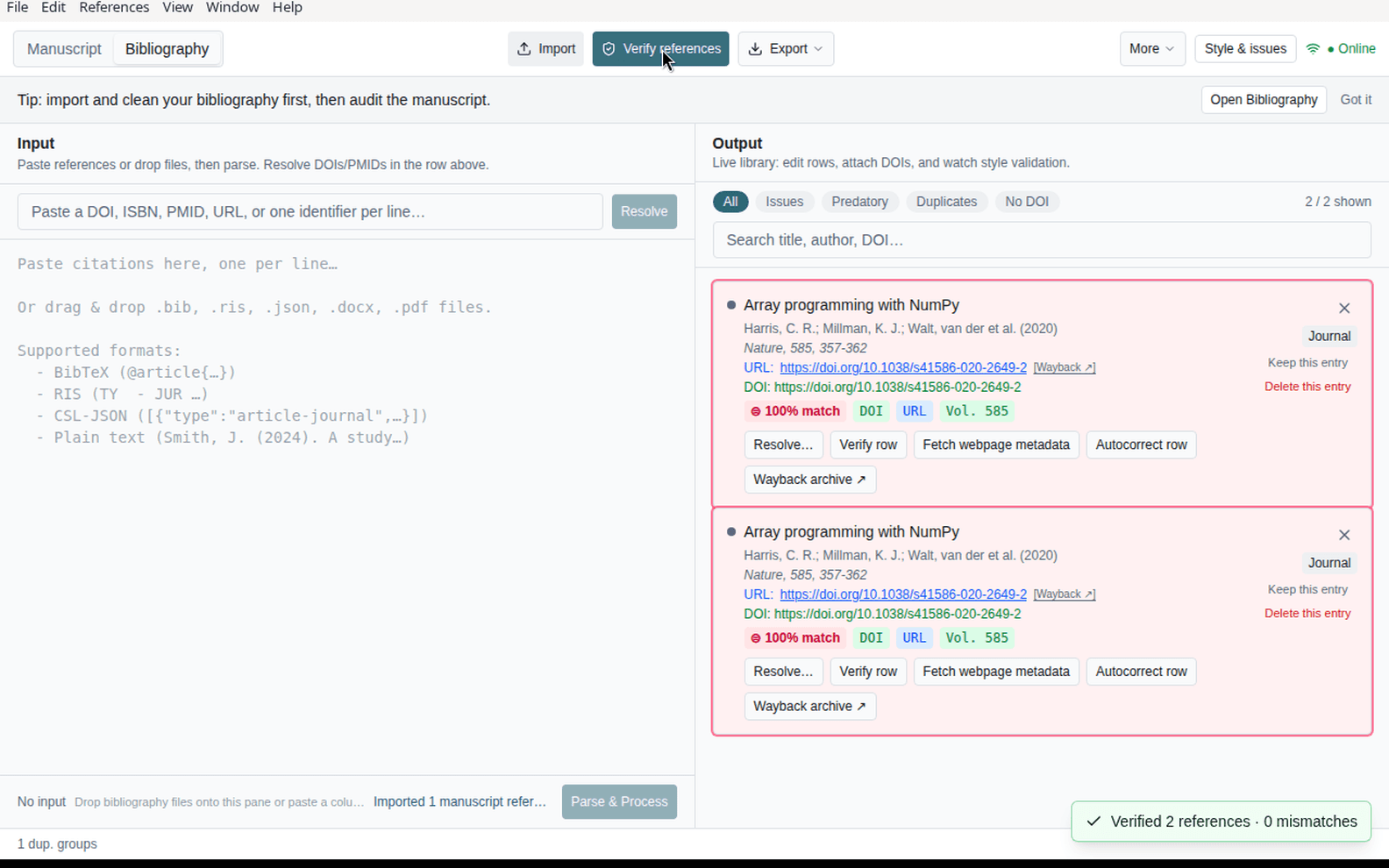
Paste or Import (Ctrl+I) your reference list in Bibliography mode.
Verify online
When connected, run Verify references (Ctrl+Shift+V). Fix mismatch cards in Issues.
Export or audit
Export a formatted bibliography, or switch to Manuscript and Run audit after your reference list is clean.
Next steps
- How-to guide — window layout, panels, and daily workflow
- User guide — Sanad, bibliography-first rule, loop detail
- Sanad setup — local LLM runners and model download
- Roadmap — planned and upcoming releases
- Changelog — release notes
Language
Nassila ships English and Arabic UI with RTL support. This documentation is available in both locales.