Sanad (سند) is Nassila's passage-grounding worker. It compares sentences in your draft to source excerpts using an OpenAI-compatible LLM endpoint you configure — local by default, cloud optional.
Model downloads
Sanad GGUF files are not bundled in the installer. Download from Hugging Face (bring your own file):
| Model | Model ID | VRAM (approx.) | Hugging Face |
|---|---|---|---|
| Sanad 9B (sole tier) | nassila-sanad-9b | Q2_K ~3.6 GB → Q8_0 ~8.9 GB (Q6_K ~6.9 GB) | nassila-sanad-9b |
Six GGUFs (Q2_K / Q3_K_M / Q4_K_M / Q5_K_M / Q6_K / Q8_0) share the same trained weights — pick the largest your memory allows.
In Nassila: Settings → Passage grounding — the Sanad bar shows a single 9B tier; the model field auto-fills nassila-sanad-9b when using a local Nassila GGUF.
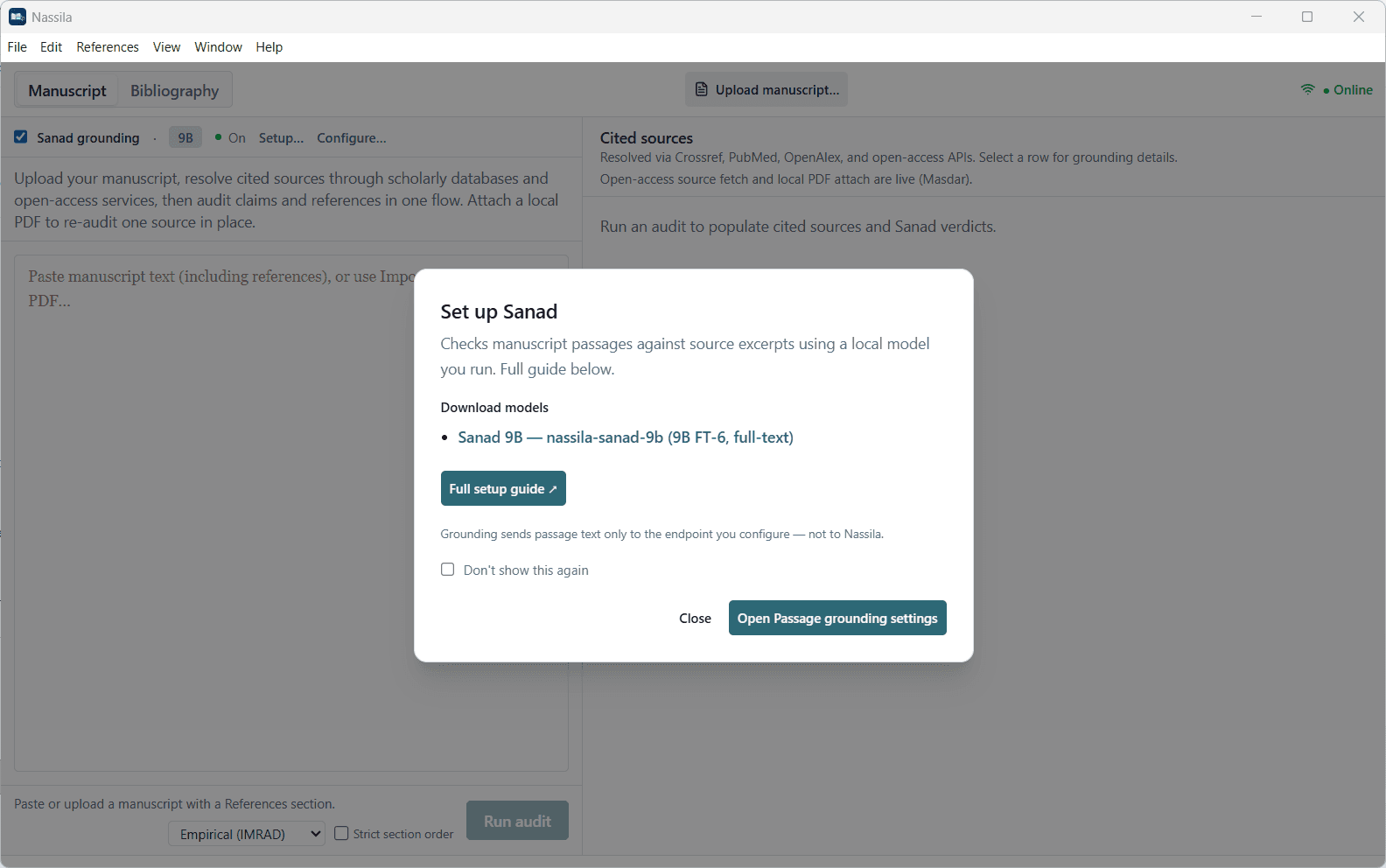
Configure in Nassila
Open Passage grounding settings
Settings → Passage grounding (or the in-app Set up Sanad link — full detail lives here on the website).
Choose local or cloud
Under Provider, pick a local runner (LM Studio, Ollama, vLLM, Custom) for the Nassila Sanad GGUF, or Cloud API for an experimental third-party model.
Set base URL and model ID
Base URL must match your runner or API. Model ID must match what the server exposes (
ollama list, LM Studio loaded model, or cloud model name).Test connection
Use Test connection in settings before your first audit. Fix base URL, model id, or API key until it passes.
Enable in Manuscript
Toggle Sanad on the Sanad bar when running a manuscript audit.
Runner and cloud setup
Pick the tab that matches your provider. Local tabs use the Nassila-trained Sanad model; Cloud API uses whatever model your vendor exposes (quality not guaranteed).
Install LM Studio
Download from lmstudio.ai.
Load a Sanad GGUF
Download nassila-sanad-9b from Hugging Face (table above) and load the file in LM Studio.
Start Local Server
In LM Studio, start the Local Server (OpenAI-compatible API on port 1234 by default).
Match Nassila settings
Preset LM Studio. Base URL:
http://localhost:1234Model field:
nassila-sanad-9bor the exact id LM Studio shows for the loaded GGUF.
No template setup needed — Qwen3.5 thinking traces are stripped automatically in Nassila.
Privacy
- Local runners — passage text goes to your machine only (localhost or your LAN server).
- Cloud API — passage text goes to the vendor you configure.
- Nassila never receives manuscript text for grounding; L1/L2 registry checks and OA fetch are separate actions you trigger.
Troubleshooting
| Problem | What to try |
|---|---|
| Connection refused | Confirm runner server is running; check base URL port |
| Model not found | Match model id to LM Studio loaded model or ollama list |
| Slow or OOM | Use a smaller quant (Q2_K / Q4_K_M); close other GPU apps |
| Empty grounding | Enable Sanad toggle; confirm source excerpt is not Unavailable |
| Cloud test fails | Verify API key, /v1 suffix on base URL, and model name with provider |
More: Troubleshooting · Local models