For a step-by-step walkthrough with panel detail, see the How-to guide.
Nassila (ناسيلا) is a desktop app for building a reference list, validating it against CSL rules, running a unified registry check (L1 + L2), and exporting a formatted bibliography before you submit.
Verify your references. Ground your claims.
Main workflow
Add references
Paste plain text, BibTeX, RIS, or CSL-JSON in the Input panel, or use Import (toolbar or Ctrl+I) for
.bib,.ris,.json,.docx, or.pdf(PDF ingest is accelerated 10–20× using the Maktab Tier A Rust WASM Engine).Resolve identifiers and webpage metadata
Use the top row in Input to paste a DOI, PMID, URL, or platform link (GitHub, Kaggle, Hugging Face, Substack, Medium, YouTube), then Resolve or click Fetch webpage metadata in Raqim Resolve to extract Open Graph, Dublin Core, and Schema.org metadata plus Wayback Machine archive fallbacks.
Fix local issues
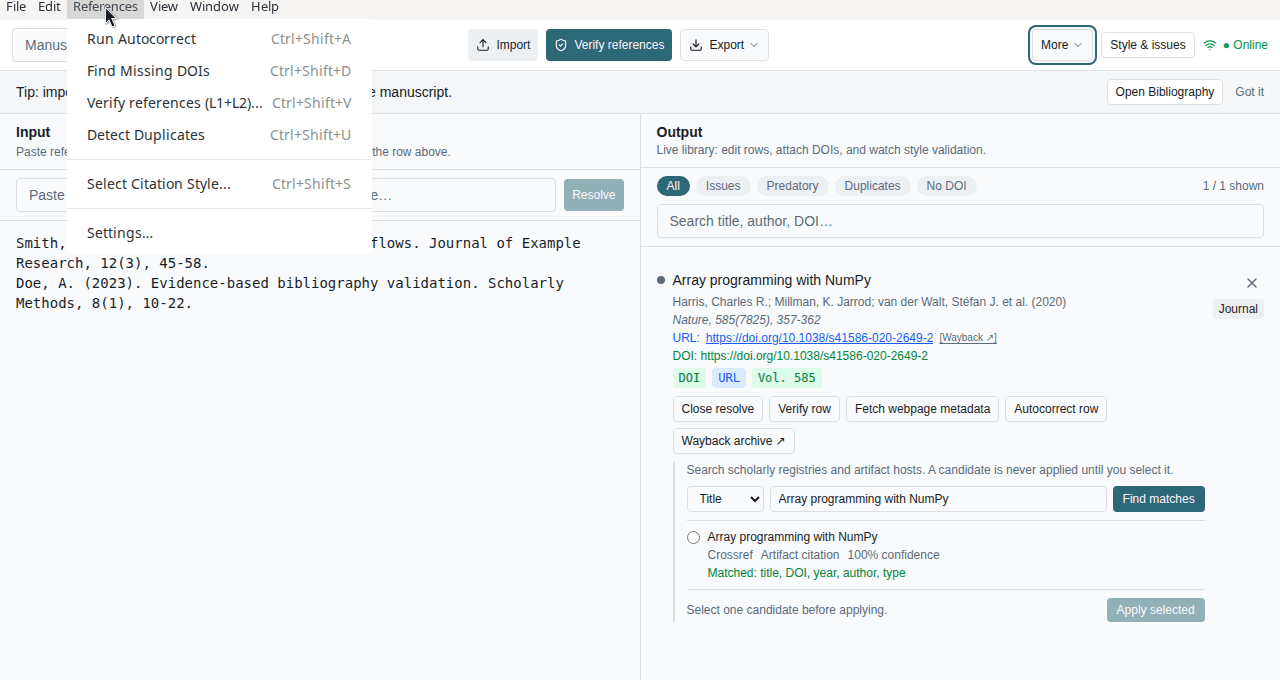
The Issues sidebar lists validation problems, duplicate groups, and (after you verify) registry field mismatches. Use Autocorrect and per-row actions in Output.
Verify references
Toolbar button, References → Verify references (L1/L2)…, or Ctrl+Shift+V (when online). One network pass per prioritized row (up to 200 items): L1 resolves to Crossref, PubMed, or OpenAlex; L2 compares your metadata. Remaining differences appear as mismatch cards.
Choose style and export
Pick a CSL style in the sidebar, then Export (Ctrl+E).
Passage grounding (Sanad)
Sanad checks manuscript claims against source excerpts using a local LLM and returns structured JSON verdicts with verbatim quotes.
Setup summary
- Open Settings → Passage grounding.
- Choose a local runner (LM Studio, Ollama, vLLM, or Custom) or a Cloud API.
- Sanad 9B is the only tier — pick your quant (Q2_K–Q8_0) from the Hugging Face repo.
- The model auto-defaults to
nassila-sanad-9b.
A Set up Sanad modal appears on first use with links to Hugging Face, runner downloads, and Ollama pull commands. Full steps: Sanad setup.
Manuscript Sanad bar
When editing a manuscript, a Sanad bar appears at the top with:
- Toggle — enable/disable grounding for the current session
- Tier chip — Sanad 9B (sole tier)
- Setup / Configure links — reopen the Sanad setup modal or Passage grounding settings
Open-access source fetch (Unpaywall)
For DOI references, Nassila can ask Unpaywall whether open-access full text exists (in addition to Europe PMC and registry abstracts).
- Open Settings → General → Manuscript source fetch.
- Enter your email once (Unpaywall API policy). It is saved only on this computer and sent directly to Unpaywall from the app — not to Nassila servers.
- Future manuscript audits reuse it automatically.
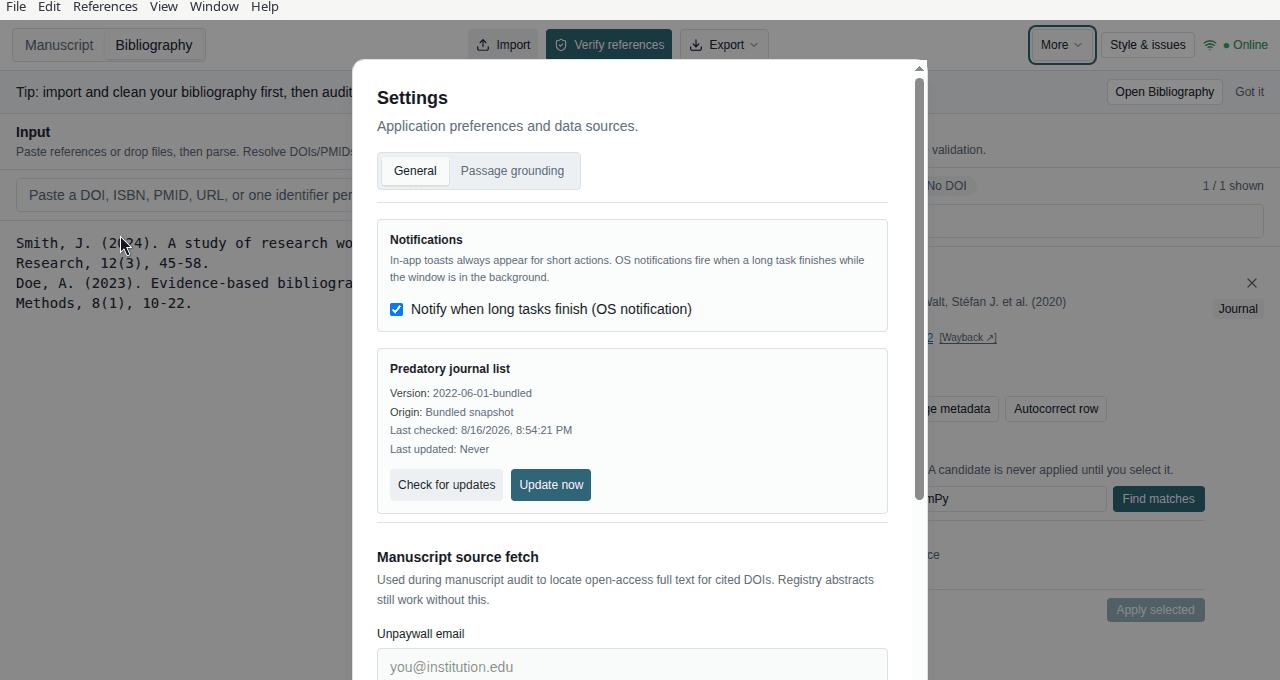
If the email is unset, the loop still uses registry abstracts and Europe PMC where available; only the Unpaywall OA path is skipped.
This is not university login. Your @institution.edu address is only an Unpaywall API contact. It does not unlock paywalled publisher PDFs through your library subscription.
Bibliography before manuscript audit
If your References section is messy or never verified, audit results will be weak (bad cite→ref mapping, false L1 flags, poor Sanad input). Organize in Bibliography first:
- Switch to Bibliography in the header.
- Import or paste references; run Verify references and fix issues in Output.
- Return to Manuscript, ensure the embedded reference list matches your curated library, then Run audit.
See Bibliography bridge for sending references between modes.
Manuscript loop
The Manuscript view includes an integrated loop: paste or upload a manuscript (with a References section), run Run audit, then review each cited source on the right.
What you see after an audit
For each in-text citation, expand Passage grounding to review:
| Panel | Meaning |
|---|---|
| Your passage | Text from your manuscript around the cite (what Sanad judges) |
| Source excerpt | Chunk from the cited work (abstract or OA text) actually sent to the model |
| Claims + quotes | Per-claim verdict and verbatim quotes from the excerpt when supported |
| Source text (header) | Abstract only, Open-access full text, or Unavailable — what was fetched |
L1 / L2 / L3 chips summarize registry match, metadata alignment, and passage grounding for that reference.
Coverage labels
- Abstract only — Full paper not available via OA; Sanad compared against the registry abstract.
- Open-access full text — HTML or JATS from Europe PMC or Unpaywall was used (excerpt may still be chunk-selected).
- Source text unavailable — No abstract and no OA text; passage checks are limited.
Per-reference PDF attach is live (1.3.0 / 1.6.0): attach from a finding or bibliography row, then re-audit that reference. Open-access PDF text from Unpaywall is also used when available (Masdar-lite, 1.2.0). Folder-scan bulk attach is planned for 1.10.0 Masdar Papers.
- Tasnif (classification) and Sharh (explanation) appear inline in the loop detail and bibliography drawer — not as separate tabs.
- Raqim (numbering) works in bibliography mode.
- Grounding runs automatically through Sanad when the loop audit is triggered.
- Shahid (tables/figures) remains disabled until 2.0.0. Maktab ingest and Masdar attach are live.
L1 and L2 (bibliography mode)
- L1 (registry resolution) — Whether the app could anchor the reference to a trusted catalog entry (DOI/PMID resolution, OpenAlex match, or explicit “grey / insufficient” outcomes).
- L2 (metadata alignment) — Whether your fields match the canonical record when L1 found one (title/year/journal/volume/page signals).
L3 (passage-level grounding) runs in the Manuscript loop when Passage grounding is enabled. Bibliography-only mode uses L1+L2. Details: Verification.
Network and privacy
Outbound calls may include Crossref, PubMed/NCBI, OpenAlex, Unpaywall (when you save an email in Settings → General), and Europe PMC for manuscript source fetch. Local LLM grounding (Sanad) runs on your machine via LM Studio, Ollama, vLLM, or a cloud API you configure. Do not paste secrets into citation fields.